
 Recally
 A free AI note taker for lectures and meetings
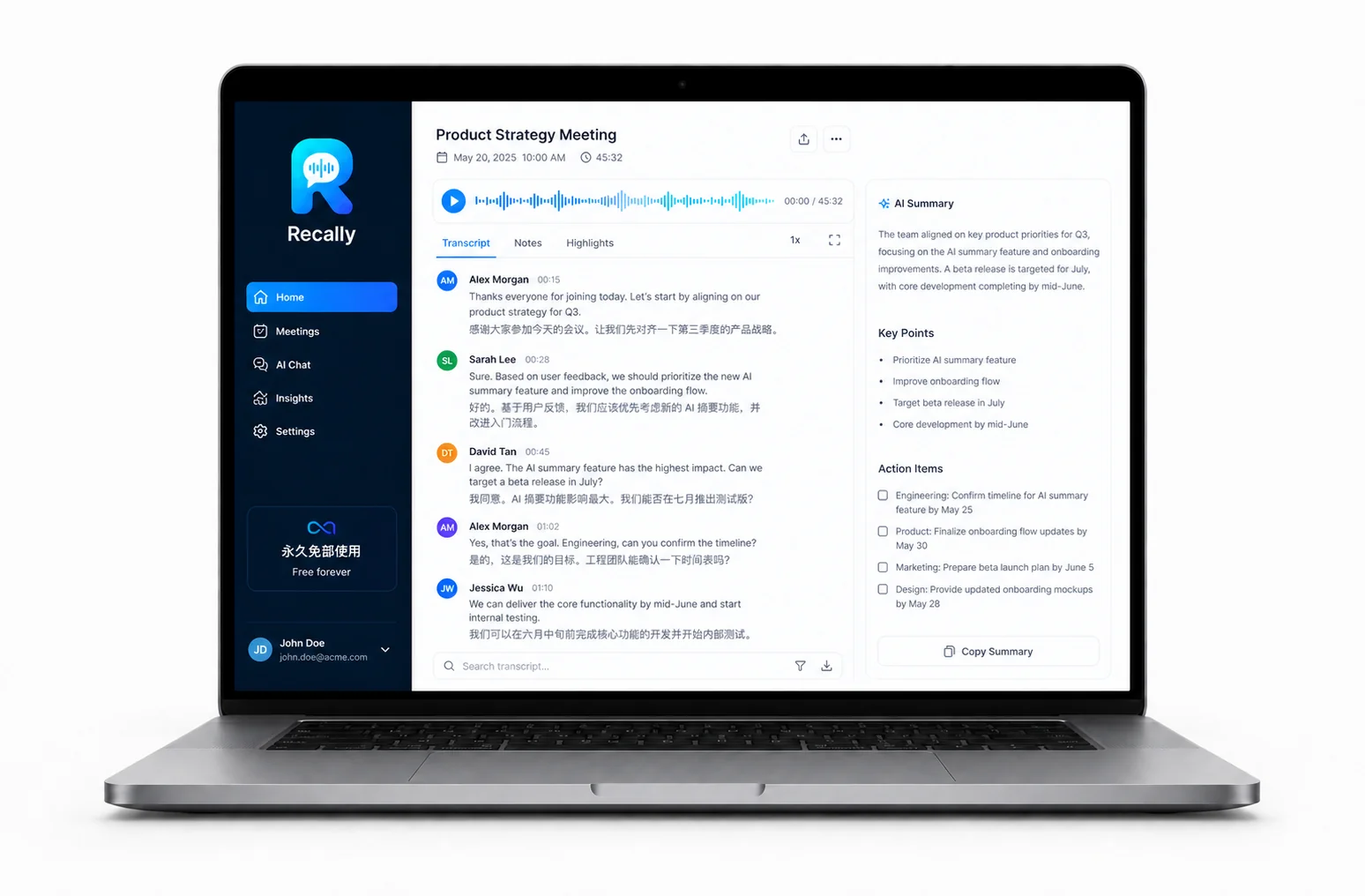
Record a class, an interview or a meeting, and Recally turns it into a transcript, a summary of what actually mattered, and a list of action items. Built for students and professionals who sit through more hours than they can retype. Free, no subscription, version 0.1.0.
- Stored locally
- No account
- English & Chinese
- Free forever
How does Recally turn a recording into notes?
In four steps, all on your own machine: record, transcribe, summarise, export. There is no upload step and no account to create, so a lecture you record at 9am is a set of notes before your next class.
- 1
Record
Capture a lecture, an interview or a meeting straight from your laptop.
- 2
Transcribe
Get a timestamped transcript in English or Chinese you can search and scroll.
- 3
Summarise
AI pulls out the key points, decisions and anything that sounded like a commitment.
- 4
Export
Take the notes, minutes and action items out as a file you can share or file away.
What can you actually use it for?
The two cases it was built around are a three-hour lecture you cannot retype and a meeting where somebody agreed to do something and nobody wrote it down.
- Lecture and meeting recording
- English and Chinese transcription
- AI summary of key points
- Meeting minutes
- Action item extraction
- Note export
- Recordings and notes stored locally
System requirements
| macOS | macOS on Apple Silicon · 47.8 MB · v0.1.0 |
|---|---|
| Windows | Windows 10 or later, x64 · 42.2 MB · v0.1.0 |
Frequently asked questions
Is Recally really free?
Yes. Recally is free to download and use, with no subscription and no paid tier at the moment.
Which computers does Recally run on?
There are two builds: macOS on Apple Silicon and Windows 10 or later on x64. Version 0.1.0 is the current release.
Where are my recordings stored?
Recordings and notes are kept on your own machine. Nothing is uploaded to an account, and there is no sign-up.
macOS says Recally is damaged and cannot be opened. What now?
Click Done — do not move it to the Trash. Open System Settings, go to Privacy & Security, find Recally in the Security section, click Open Anyway and authenticate. Do not disable Gatekeeper system-wide.
Can it transcribe languages other than English?
Recally transcribes English and Chinese. Accuracy depends on microphone quality and how clearly the speaker talks, as with any transcription tool.
Can I use Recally to record a lecture at university?
Technically yes, but recording rules vary by institution and by instructor, and some jurisdictions require the consent of everyone being recorded. Check your course policy and local law before recording a class or a meeting.
Why does an immigration consultancy publish a note-taking app?
Most of the people we work with are international students and newcomers to Canada, sitting through lectures and workplace meetings in their second language. Recally came out of that, and it stays free. If you are also working out a study, work permit or permanent residence route, our CICC-licensed consultants (RCIC) in Toronto can look at that with you.